Cove for Mac: press kit
In one sentence
Cove captures your complete macOS workspace (apps, windows, browser tabs, terminal directories, files, Focus Mode) and restores it in one click. Switching projects becomes like loading a save in a video game, without the 10 minutes of resetting your environment.
Fact sheet
- Name
- Cove
- Category
- macOS workspace switcher / productivity
- Platform
- macOS 15+ · Apple Silicon and Intel
- Price
- $9.99 launch · $19.99 regular · one-time, no subscription · 14-day refund
- Distribution
- Direct (not Mac App Store) · Developer ID signed + notarized
- Maker
- Alexandre Bonnegarde-Delisle (solo indie, France)
- Website
- covemac.app
- Contact
- alexandre.bonnegardedelisle@gmail.com
Watch it work
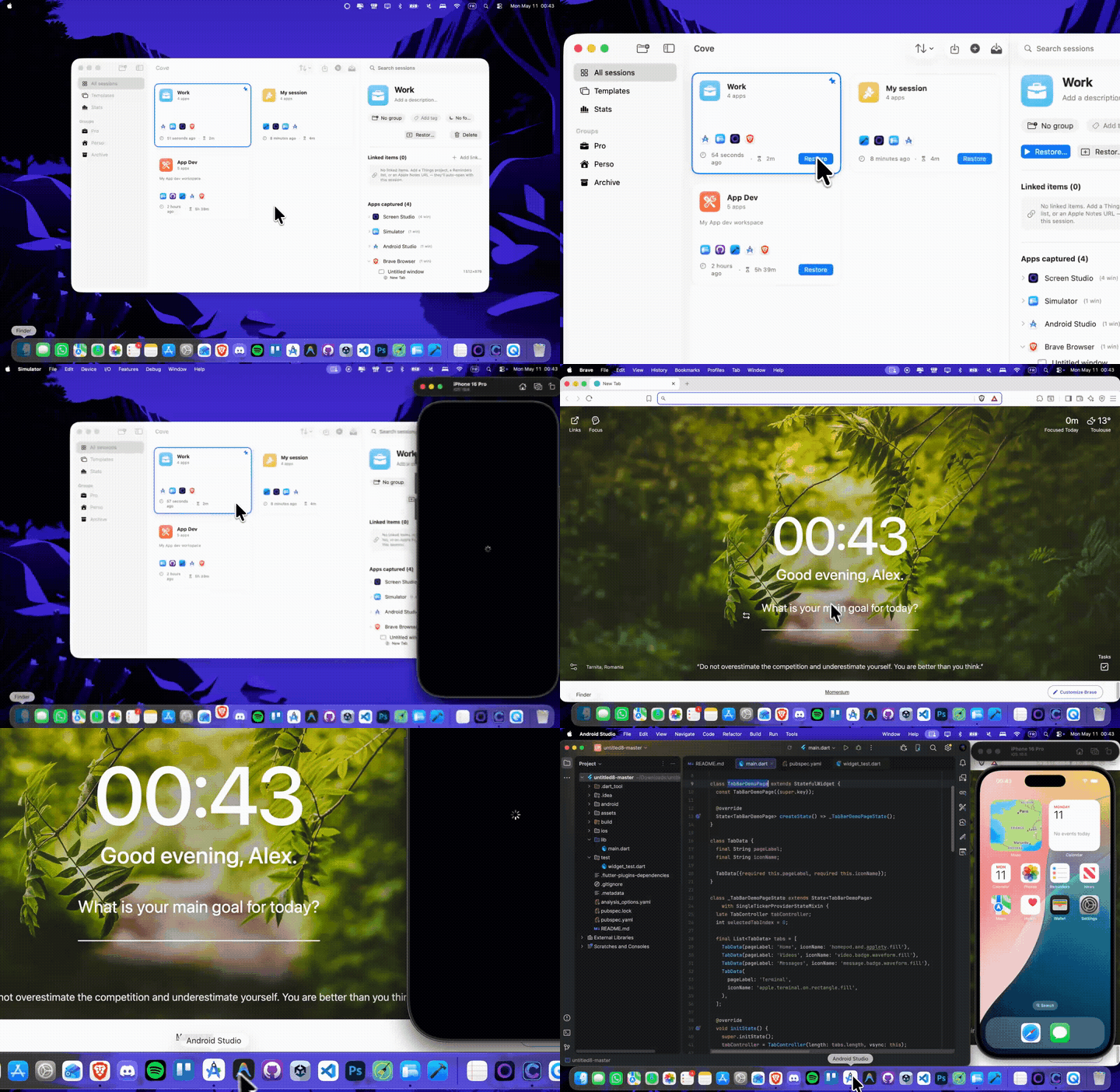
One-minute montage: capture a workspace, park it, restore it exactly as it was.
Direct file (1080p, 6.9MB): Cove_Demo_Socials.mp4 · Restore loop GIF (720p, 9MB): Cove_Restore.gif
Screenshots
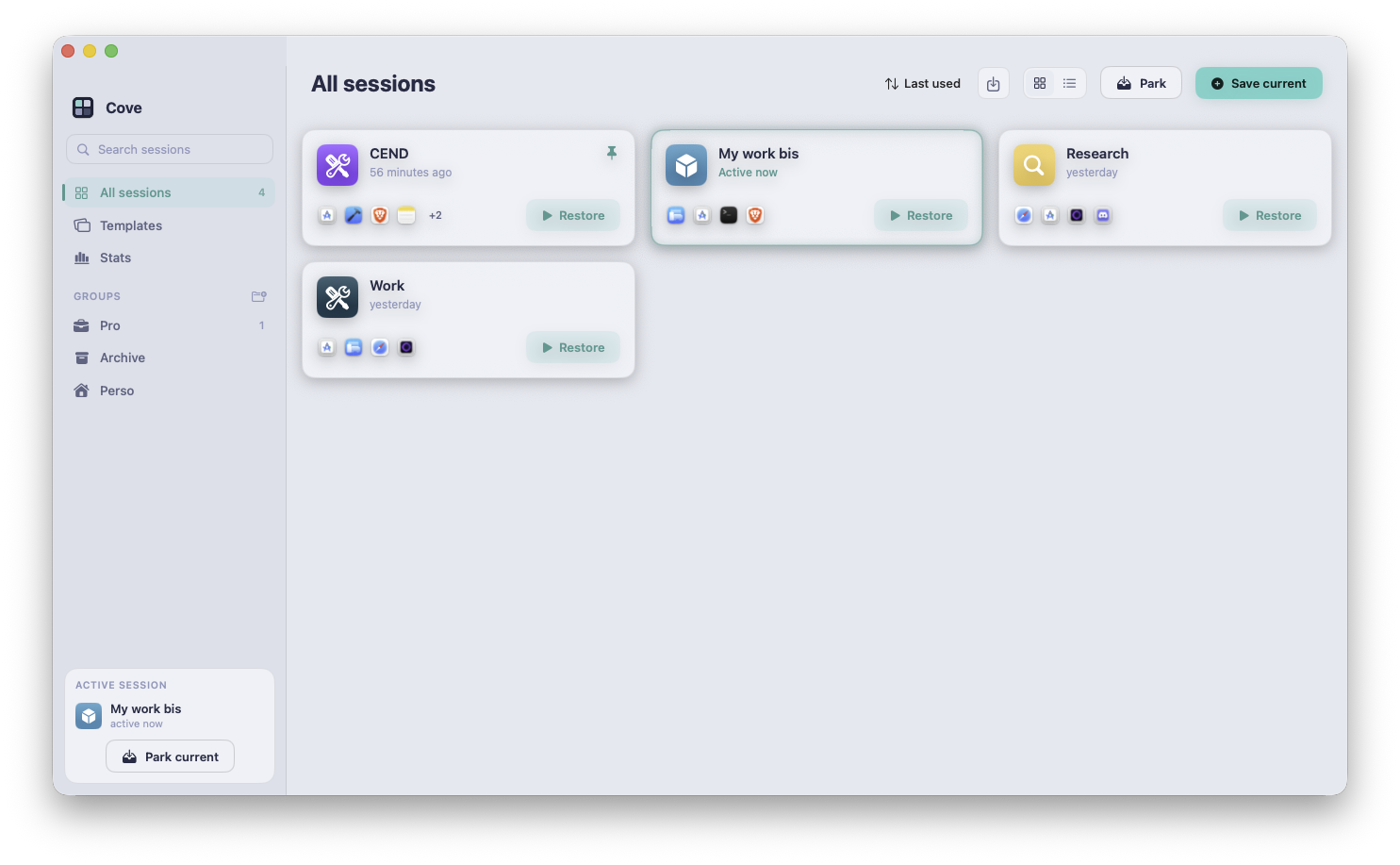
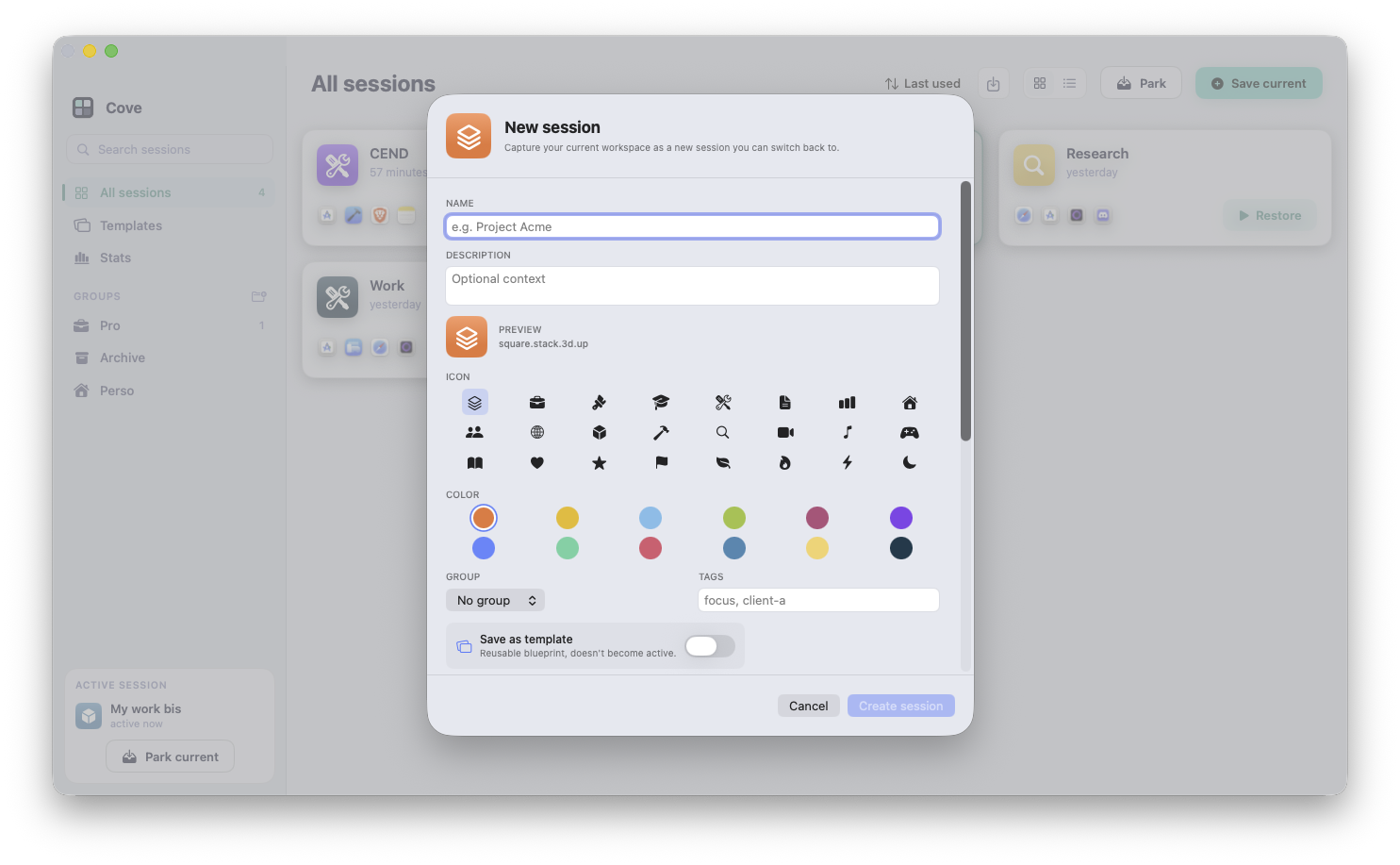
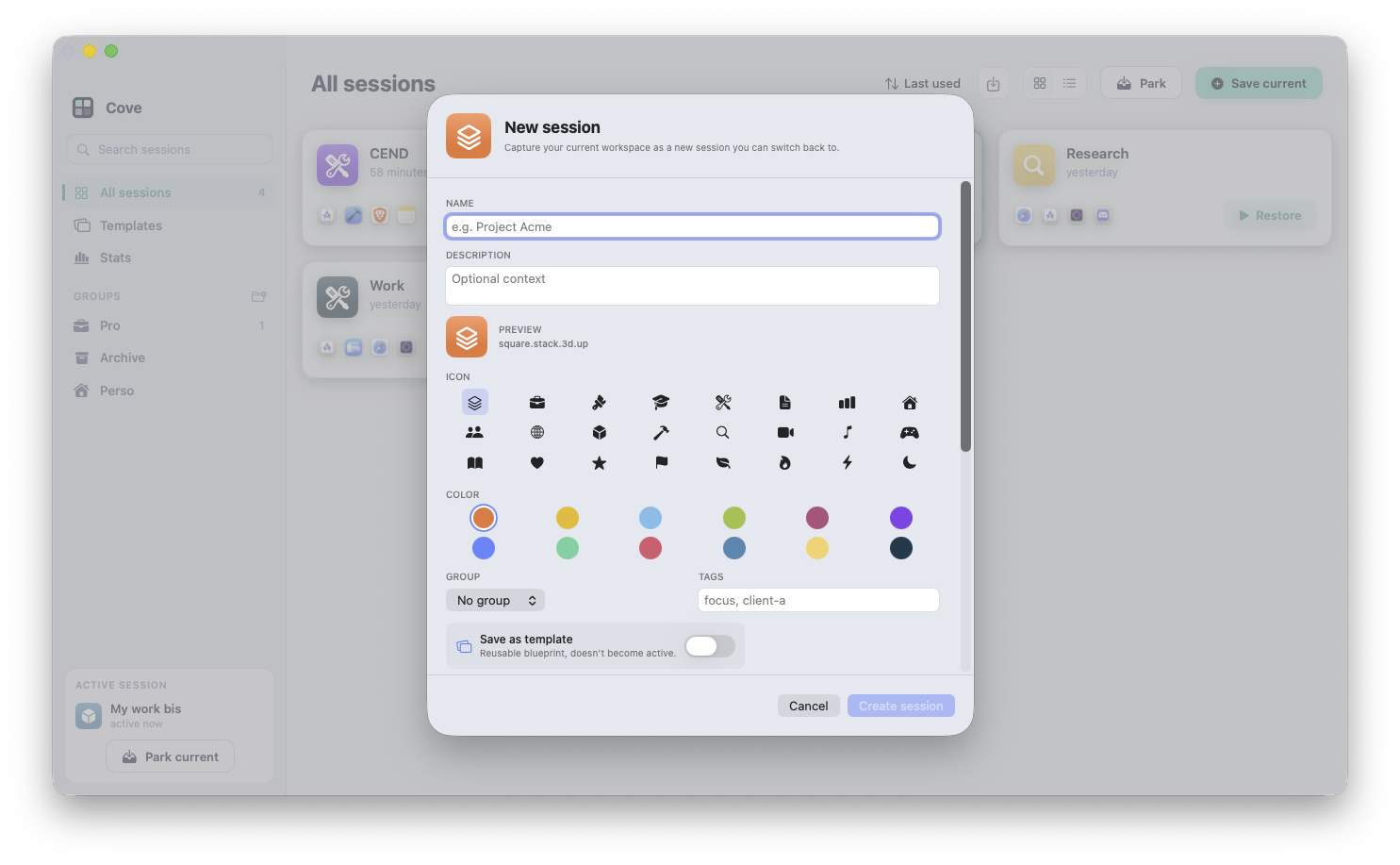
Click any image to open the full-resolution PNG. Free to use in editorial coverage and reviews.
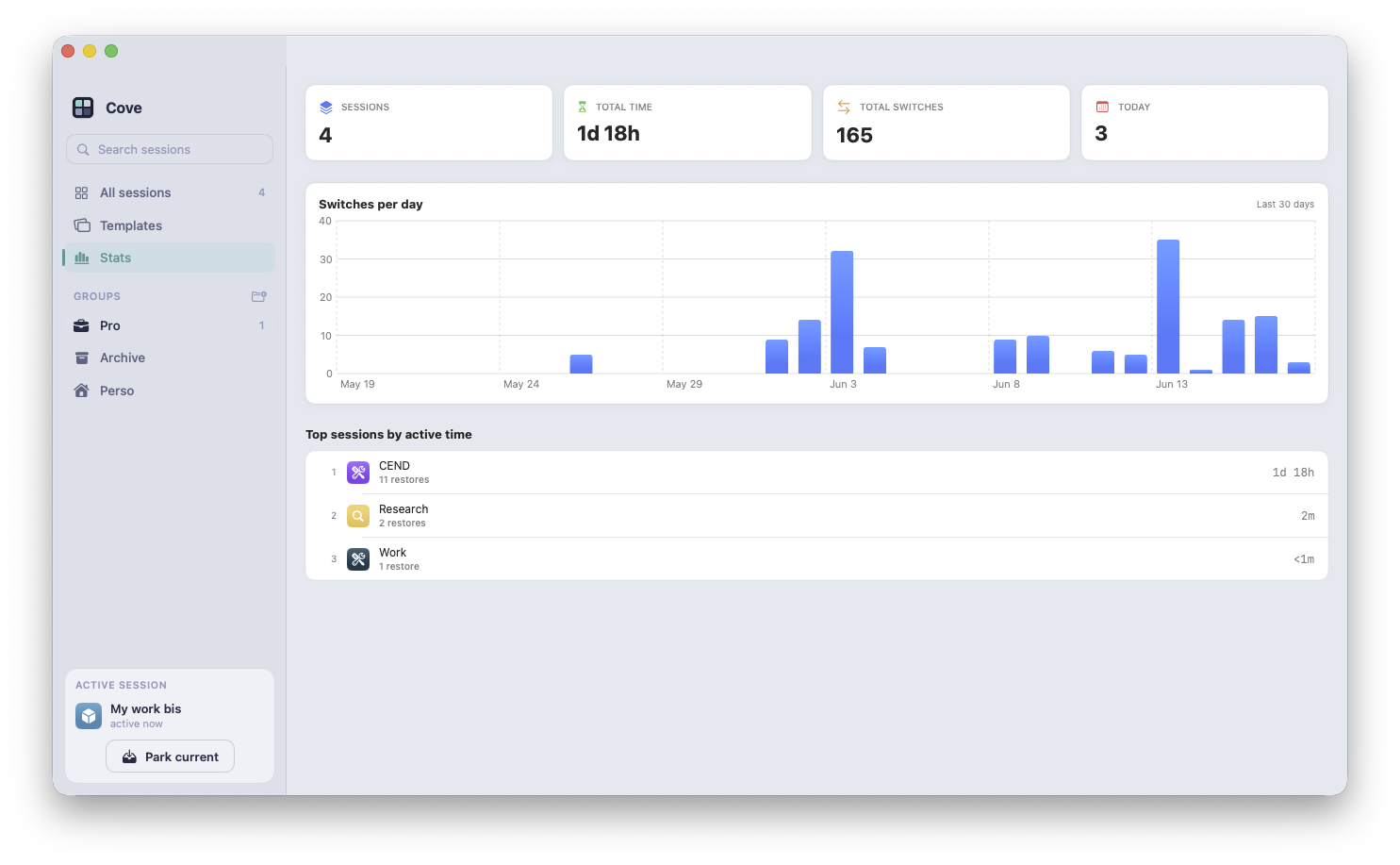
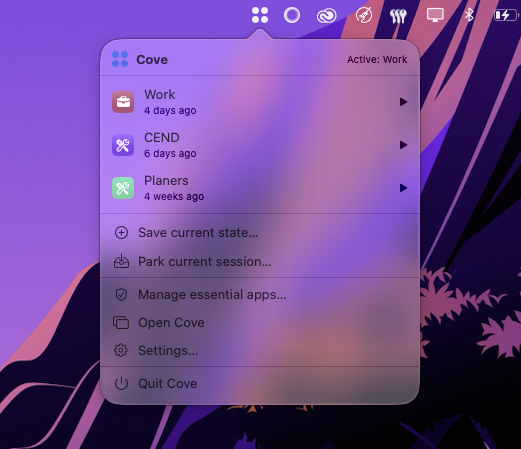
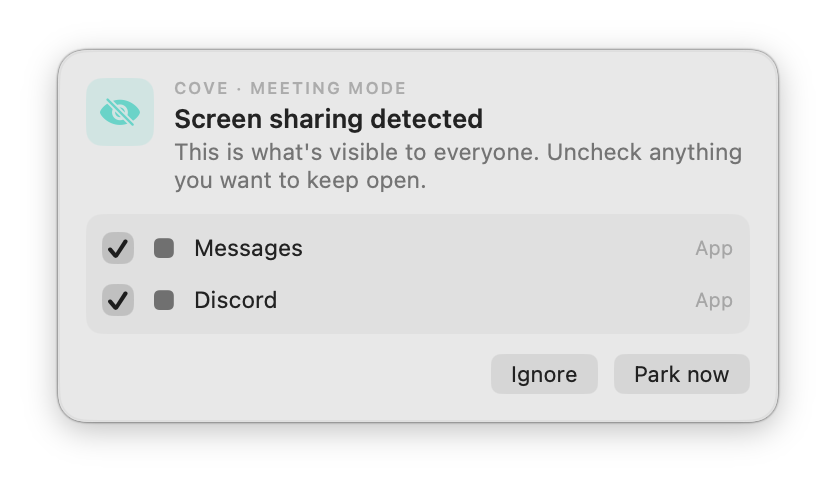
App icon for thumbnails and show notes: Cove_Icon.png (1024×1024).
More clips
Short silent screen recordings of each flow, for inline use.
Boilerplate descriptions
Copy and paste, or adapt. No attribution required for these blurbs.
One-liner
Save your work. Switch in a second.
Short (50 words)
Cove captures your complete macOS workspace (apps, windows, tabs, files, focus mode) and restores it in one click. Switch between projects like loading a save in a video game, without losing 10 minutes resetting your environment. One-time payment, no subscription. macOS 15+, Apple Silicon and Intel.
Long (200 words)
Cove for Mac lets you save and restore complete workspaces on macOS, with the precision of a save/load system in a video game.
Every project you work on has a unique context: a specific Xcode project, a Notion doc, the right terminal directories, the right browser tabs in the right order, the right Focus Mode active. Switching from one project to another means 5 to 15 minutes manually closing tabs, reopening files, reconnecting terminals, and toggling the wrong Do Not Disturb. That tax compounds across the day.
Cove introduces a single primitive, a Session, that captures all of that state. One click and your environment is restored: every app launched in the right position, every browser tab reopened in its window, every Terminal in its working directory, every linked Reminders list and Notes file opened. The current session can be parked (saved and closed) before switching, so nothing is lost.
Cove is built solo, in France, by an indie developer. It uses native macOS APIs (AppleScript and Accessibility), with no cloud sync, no analytics, no tracking, and no subscription. Sessions live in a local SwiftData store. Updates ship for life via Sparkle, signed with EdDSA.
The developer
Cove is built and supported by Alexandre Bonnegarde-Delisle, a solo developer in France with a background in mobile and game development. He answers every support email himself. Full background, identity, and verification links are on the About page.
Usage rights
App icon, screenshots, videos, and the GIF are free to use in editorial coverage, reviews, and social posts. Quotes from this page or covemac.app are free to use with attribution. Please don't recolor or overlay text on the app icon, or use brand assets in advertising or third-party tools, without asking first. "Cove" is the product name.
Want a license to try it?
Happy to send a free license and a short demo, no expectation of coverage. Just email alexandre.bonnegardedelisle@gmail.com and mention your outlet.